
If a WordPress site is compromised, a working homepage does not prove it is clean. Malicious access can remain in accounts, files, scheduled tasks, database records or hosting credentials. Deleting a suspicious file before recording what happened can also destroy evidence. Work methodically and involve the host or a qualified incident responder when the site handles important services or sensitive data.
First response
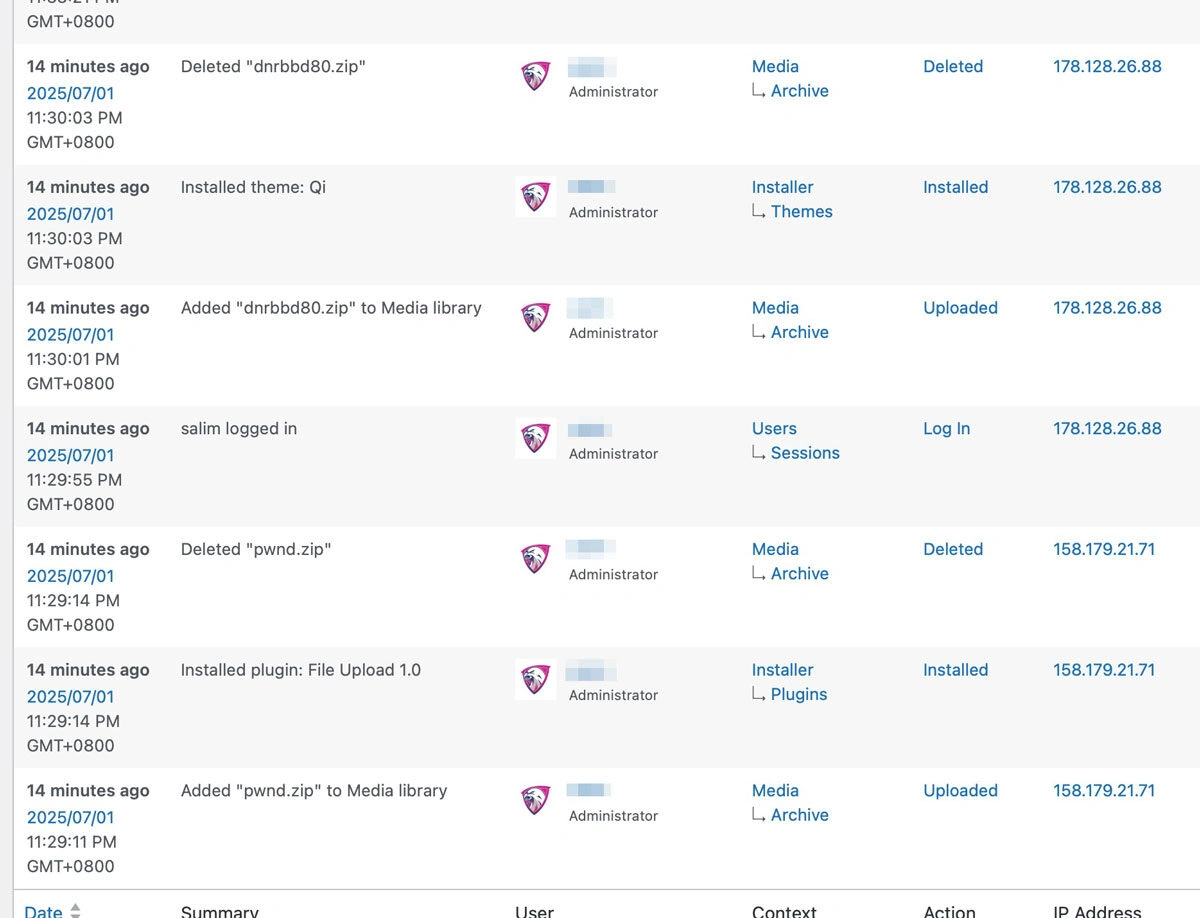

- Record what you see. Note the time, affected URLs, alerts, recent changes and any host or Search Console messages. Preserve relevant logs and take a protected copy of the affected files and database before cleanup, if safe to do so.
- Contact the host. Ask whether other sites or accounts are affected, and whether the host has isolated the environment. Agree how to keep legitimate visitors safe while investigation continues.
- Limit further access. Use the host’s incident process to restrict affected services. Do not assume that changing one WordPress password removes all access. Coordinate credential resets for CMS, hosting, database, SFTP, deployment and recovery accounts once the environment is understood.
- Identify and remove the entry point. Review users, recently changed files, extensions, scheduled tasks, configuration and logs. Reinstall clean copies of core, themes or plugins where appropriate. Remove abandoned software and patch the weakness that allowed access. A scanner can help find indicators, but a clean scan alone is not proof of recovery.
Restore and verify
Restore only from a backup known to pre-date the compromise and confirm it is safe. Test the site, forms, transactions and integrations before returning it to service. Rotate session keys and credentials after containment, review monitoring, and document the incident and remediation.
Check Google Search Console’s Security Issues report and review unexpected indexed pages. Google’s malware prevention guidance explains how Search Console can report hacked content. Fix the site first, then follow the relevant platform instructions for any warnings or manual actions.
Should I restore the latest backup immediately?
Not before confirming when the compromise began. A recent backup may contain the same malicious access. Preserve a copy for investigation and have a specialist help assess the restore point if the timeline is uncertain.