
“WordPress is slow” describes a symptom, not a cause. A slow admin screen, first response, image-heavy page or checkout flow may each point to a different part of the stack. Collect comparable measurements before changing hosts, installing plugins or rewriting code.
Build a repeatable test
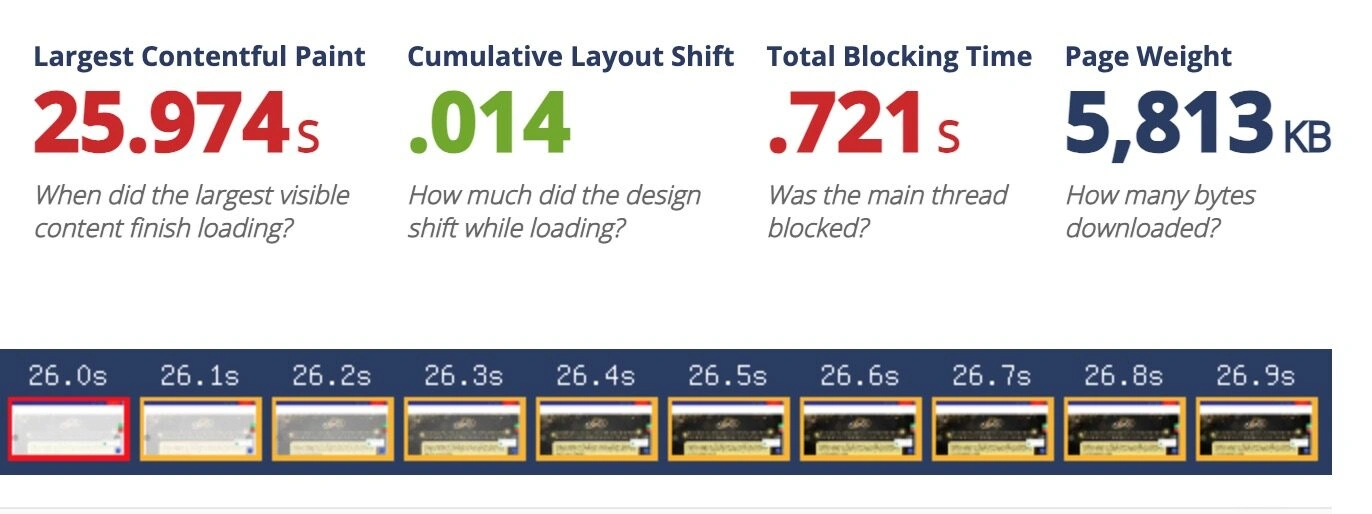
Choose the homepage, a representative content page and an important task such as submitting a form or completing checkout. Test mobile and desktop, and note whether the visitor is logged in, which region is used, the network conditions, cache state, test date and software version. Repeat the test and retain the result.
Google’s Core Web Vitals guidance sets the current good thresholds at the 75th percentile: LCP within 2.5 seconds, INP below 200 milliseconds and CLS below 0.1. Review field data where available and use lab tests to reproduce issues. These metrics help assess user experience, but do not guarantee a ranking or explain every delay.
Classify the delay
- Slow first response across the site: check server resources, PHP workers, database queries, cache misses and external requests.
- Fast response but slow visual load: inspect image dimensions, font loading, render-blocking files and third-party scripts.
- Slow interactions: profile JavaScript, long tasks, plugin hooks and scripts that compete for the main thread.
- Only one template is slow: compare its queries, widgets, page-builder modules and media with a faster template.
- Problems appear only under load: test realistic concurrent traffic and observe CPU, memory, database connections and cache behaviour.
Do not assume that shared hosting, a page builder or one named plugin is the cause without evidence. Check staging or a safe test environment before disabling components on a live site.
Make a controlled change
Fix the biggest measured bottleneck first. Change one major factor at a time and rerun the same tests. Confirm that forms, menus, payments, caching, consent controls and analytics still work. Compare real-user data after the change has been live long enough to collect a meaningful sample.
When should I change hosting?
Consider it when measurements show that server capacity, support or recovery is the constraint and the provider cannot meet the requirement. A move without testing can change latency, caching, security responsibilities and outage risk without solving application-level work.