
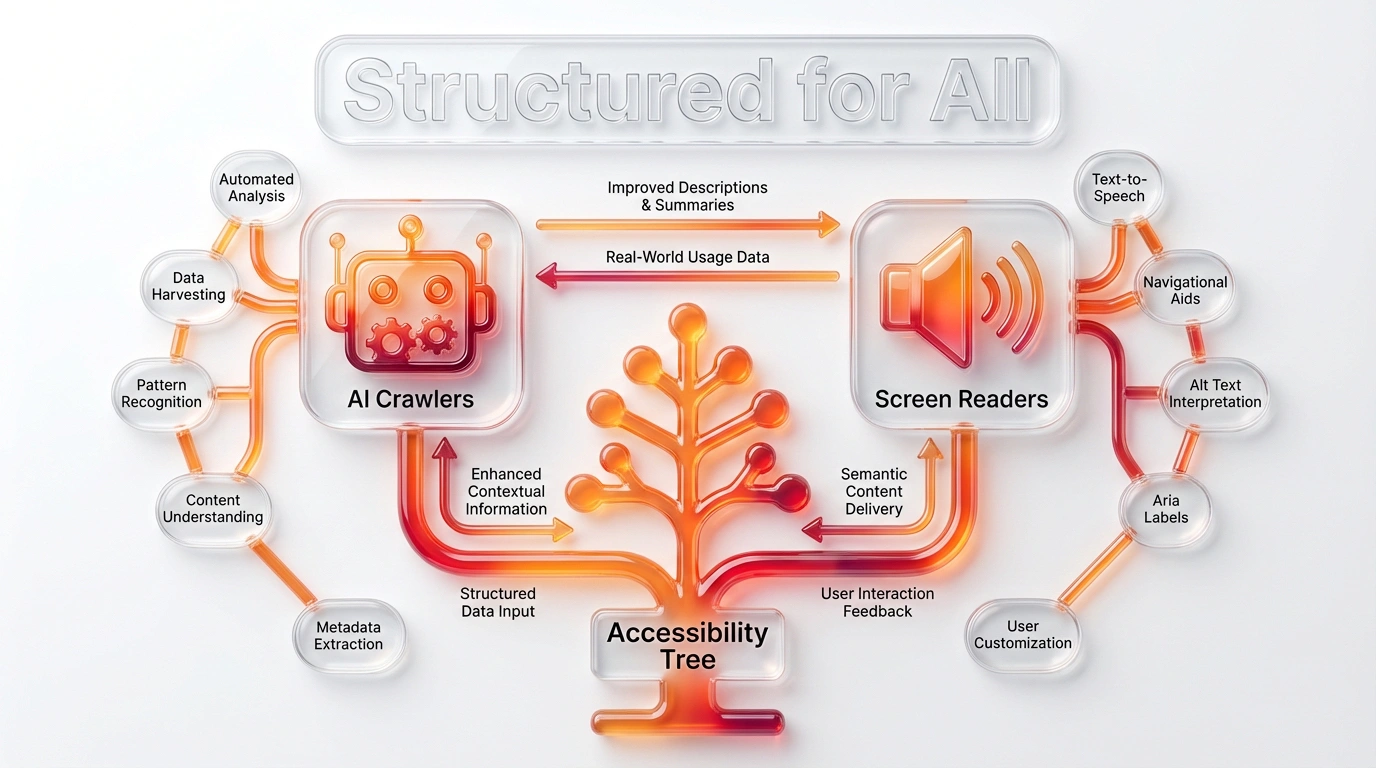
Semantic HTML uses elements according to their meaning. A <nav> identifies navigation, <main> marks the primary content, a heading expresses hierarchy, and a <button> represents an action. This gives browsers, assistive technology and people who maintain the code a more reliable structure than a page built from generic containers alone.
Semantic elements help communicate what content is and how controls work. They do not make a site accessible or improve search rankings by themselves. The text, interaction, visual presentation and technical behaviour still need to be correct.
Semantic elements and generic containers
Elements such as <header>, <nav>, <main>, <article>, <section>, <aside> and <footer> describe common page regions. Headings from <h1> to <h6> express nested topics. Lists describe groups of related items, while <figure> and `
Search engines and structured content
Search systems can use page content, links and structure to interpret a page, but a semantic element is not a ranking shortcut. Use headings to organise real topics rather than to style text. Provide descriptive link text and clear page titles. Keep structured data accurate and consistent with visible content; adding schema cannot repair unclear or missing information.
For a blog post, an <article> can identify a self-contained item and <time datetime="..."> can represent a machine-readable date. The article should still show an understandable date to readers. Do not add elements or hidden text solely to imply meaning that the visible page does not support.
Practical markup example
<header>
  <a href="/">Ulement</a>
  <nav aria-label="Main navigation">
    <a href="/services/">Services</a>
    <a href="/contact/">Contact</a>
  </nav>
</header>
<main>
  <article>
    <h1>Choosing a website platform</h1>
    <p>Start with the publishing and operating requirements.</p>
    <figure>
      <img src="platforms.webp" alt="A diagram comparing platform responsibilities">
      <figcaption>Responsibilities differ between platforms.</figcaption>
    </figure>
  </article>
</main>
The markup only helps if the labels and alternatives accurately describe the interface and content. A navigation label should name its purpose, and image alternatives should describe useful information rather than repeat nearby text.
How to audit a page
- Check that the page has a meaningful title and a clear main heading.
- Review heading levels and page landmarks for a sensible structure.
- Confirm links navigate and buttons perform actions, including by keyboard.
- Check that form fields have labels and errors are connected to the right field.
- Review images, captions, tables and interactive components in context.
- Test with keyboard access and appropriate assistive technology; use automated tools as supporting checks, not as a complete audit.
Common questions
Does semantic HTML improve SEO?
It can make structure and relationships clearer to software, but semantic tags alone do not guarantee higher rankings. Helpful content, crawlability, links and a sound technical implementation still matter.
Is <div> non-semantic HTML?
<div> has no specific content meaning, but it is a valid generic container when a more descriptive element is not appropriate. The issue is using it where a native element would better express content or behaviour.
Does semantic HTML automatically make a site accessible?
No. It provides a stronger foundation, but accessibility also depends on content, visual design, keyboard behaviour, dynamic states, testing and the needs of actual users.
Sources checked on 20 October 2026: WHATWG HTML Standard, W3C WAI page structure tutorial and web.dev semantic HTML.