
A slow website can make it harder for people to read, enquire or complete a purchase. The cause may be the server, oversized media, JavaScript, fonts or third-party tools. Speed work should start with measurement on representative pages, not with installing another optimisation plugin.
What to measure
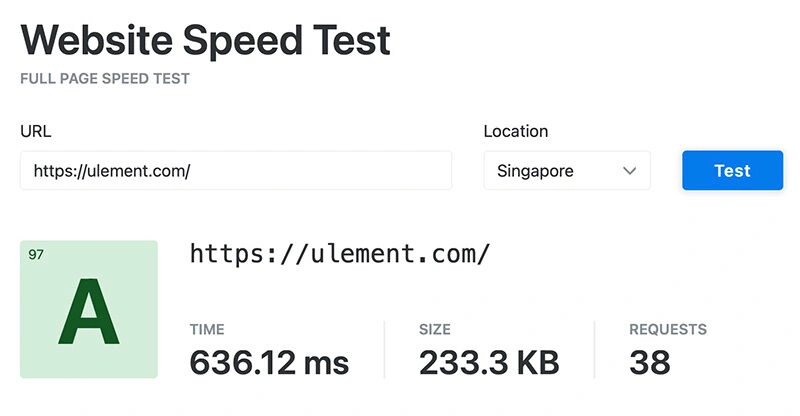

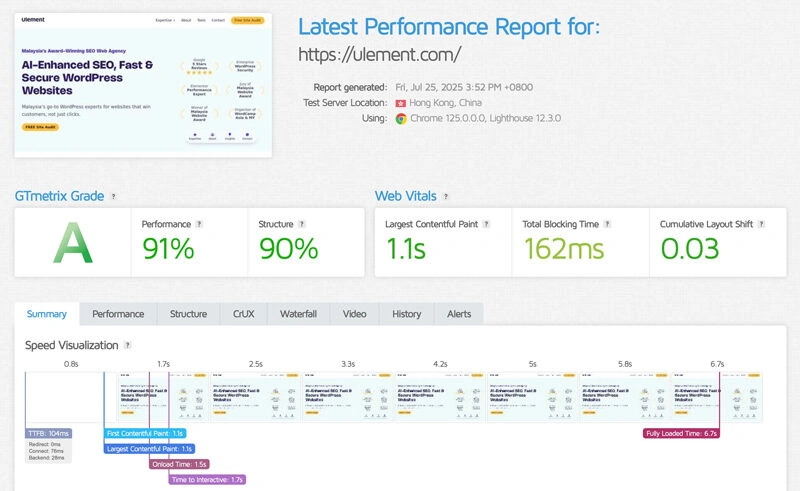

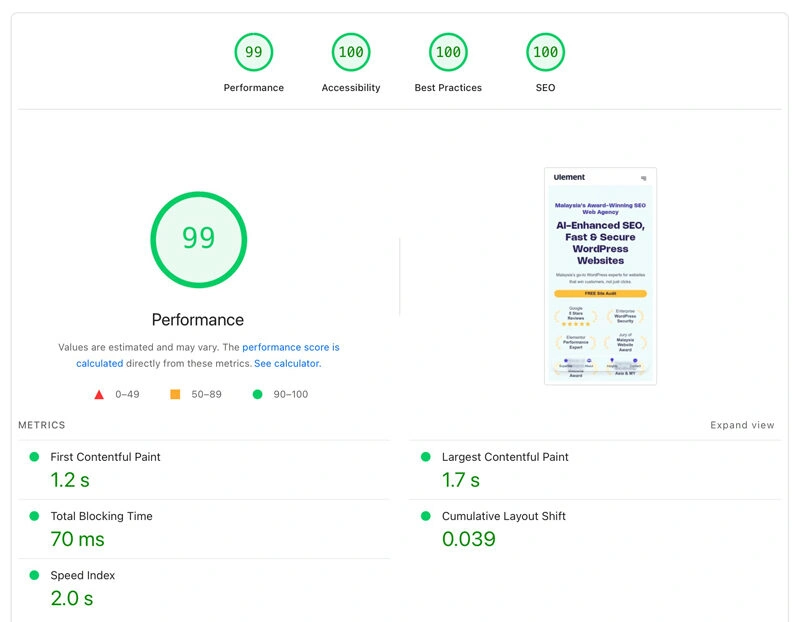
Google’s Core Web Vitals describe loading, responsiveness and visual stability. Current good thresholds are Largest Contentful Paint (LCP) within 2.5 seconds, Interaction to Next Paint (INP) under 200 milliseconds and Cumulative Layout Shift (CLS) below 0.1, measured at the 75th percentile. Use the Core Web Vitals report in Search Console for field data when available. Lab tests help reproduce and diagnose a problem but do not replace real-user data.
Test the homepage, key service or product pages and the main conversion flow on mobile and desktop. Record the page, device, network conditions, test date and result. Repeat tests because caching, traffic and third-party services can affect results.
Find the bottleneck before choosing a fix
- Slow response across many pages: inspect hosting resources, application work, database queries and cache behaviour.
- Large downloads: resize and compress images, use suitable formats and avoid loading media the page does not need.
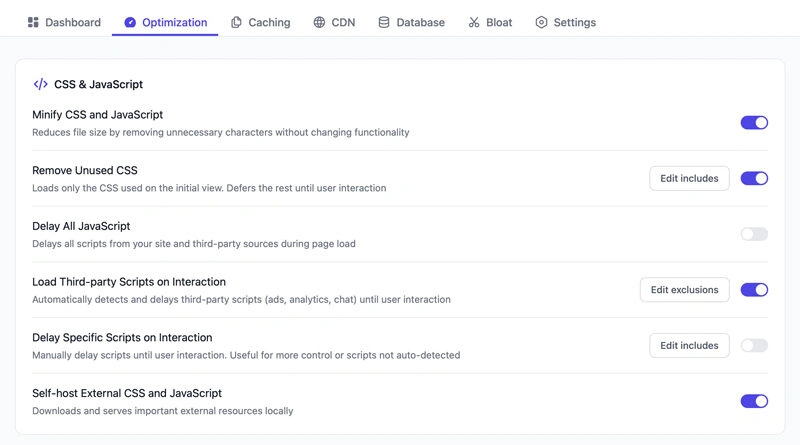
- Delayed visible content: check render-blocking CSS and scripts, font loading and the order in which the browser receives important resources.
- Slow interactions: profile long JavaScript tasks, heavy plugins and third-party scripts. Remove or defer code only after checking what depends on it.
- Layout movement: reserve image and embed dimensions, and avoid inserting banners or content above existing text without space.
For Malaysian audiences, check the route from the user to the origin and CDN, rather than assuming a local server is always faster. A content delivery network can reduce distance for cached assets, but it cannot fix inefficient page code or slow uncached requests.
Make changes safely
Change one major cause at a time, then retest the same pages and flows. Confirm that forms, menus, payments, consent controls and analytics still work. Compare field data over a suitable period after deployment. Page speed is one part of the user experience; a passing score alone does not prove that a site is useful or will rank better.
Do speed plugins guarantee better scores?
No. Results depend on the site, its hosting, theme, plugins and content. Measure before and after each change, and remove tools that add complexity without addressing a verified problem.